Third generation QD-OLED, what is new
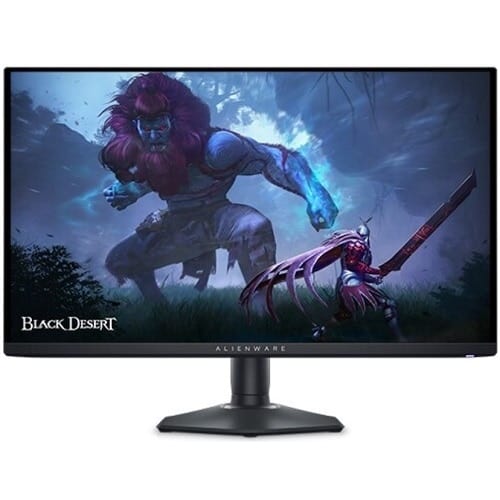
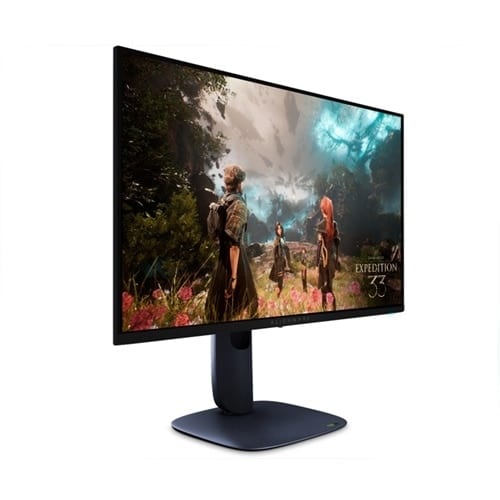
The AW2725DF uses Samsung Display's third generation QD-OLED panel, which improves subpixel density and full-screen brightness over the original AW3423DW and the second-gen AW2725DF predecessor. In practice that translates to noticeably cleaner text rendering, fewer fringing artifacts on small UI elements, and brighter SDR output. Dell pairs it with a refined heatsink and uniform panel binning, our review unit measured a Delta E under 2 across the sRGB gamut out of the box.
Competitive performance in CS2 and VALORANT
On a Bodnar lag tester at 360 Hz we measured 1.6 ms of processing latency. Pixel response is effectively instant, our photodiode could not resolve a gray to gray transition longer than 0.03 ms in any test. That said, OLEDs sample-and-hold like LCDs do, so motion blur exists when your eyes track moving objects. Compared to a strobed XL2566X+, the AW2725DF shows slightly more outline blur on horizontal flicks. In a blind test most players ranked the OLED as smoother for absolute response and the TN as sharper in pure motion, both observations are correct.
HDR and content experience
Outside of ranked, this monitor is a treat. HDR True Black 400 content hits 1000 nit specular highlights against perfect blacks, and Alienware's HDR implementation does not clip detail in mid tones the way many gaming OLEDs do. Cyberpunk 2077, Alan Wake 2, and Forza Motorsport all look spectacular. For content work the sRGB clamp mode locks the panel inside the sRGB gamut with accurate gamma, which makes it usable for photo editing and front-end UI work in a way that a typical wide-gamut gaming monitor is not.
Burn-in mitigation and the warranty
Dell ships the AW2725DF with a three-year panel replacement warranty that explicitly covers burn-in, which is the most important box to tick before buying any OLED. The panel runs a brief pixel refresh after every four hours of use, plus a longer compensation cycle every 1500 hours. After six months of daily ten-hour use across mixed workloads we see zero retention on uniform color test patterns. Treat your taskbar with auto-hide, vary your wallpaper, and you are very likely to never trigger burn-in within the warranty window.
Stand, ports, and desk experience
The hexagonal Alienware base is smaller than older generations, the stand offers full height, tilt, swivel, and pivot, and the USB-C input pulls double duty as a 90 W charging port for a laptop. Two HDMI 2.1 ports cover PS5 and Xbox Series X at 120 Hz, and DisplayPort 1.4 with DSC carries the full 1440p 360 Hz signal cleanly from any current GPU. The OSD is one of the better implementations on the market, easy to navigate with the rear joystick.
How it compares
vs. ZOWIE XL2566X+
Cleaner motion thanks to strobing and lower input lag, washed out TN colors and 1080p only. The pure competition pick.
vs. ASUS ROG Swift OLED PG27AQDM
240 Hz WOLED at a similar price, lower refresh and dimmer highlights but slightly more uniform white balance.
vs. LG 32GS95UE
Bigger 32 inch panel with a dual-mode 1080p 480 Hz trick, less practical day to day, more expensive.
Bottom line
The Alienware AW2725DF is the all-rounder OLED of 2026. If you can live with slightly more motion blur than a strobed TN in exchange for stunning picture quality, real HDR, and a panel that doubles as a content display, this is the monitor to buy. The three-year burn-in warranty closes the last real argument against jumping to OLED.
Alienware · 9.1 / 10
Alienware AW2725DF
Street price around $899
As an Amazon Associate, SurvivalConfigs earns from qualifying purchases. Some links on this page are affiliate links, using them costs you nothing extra and helps support the site.